Access Guide
What Is a Smart Card?
What the chip in a smart card actually does, how contact and contactless differ, and why 13.56 MHz on its own does not make a credential secure.
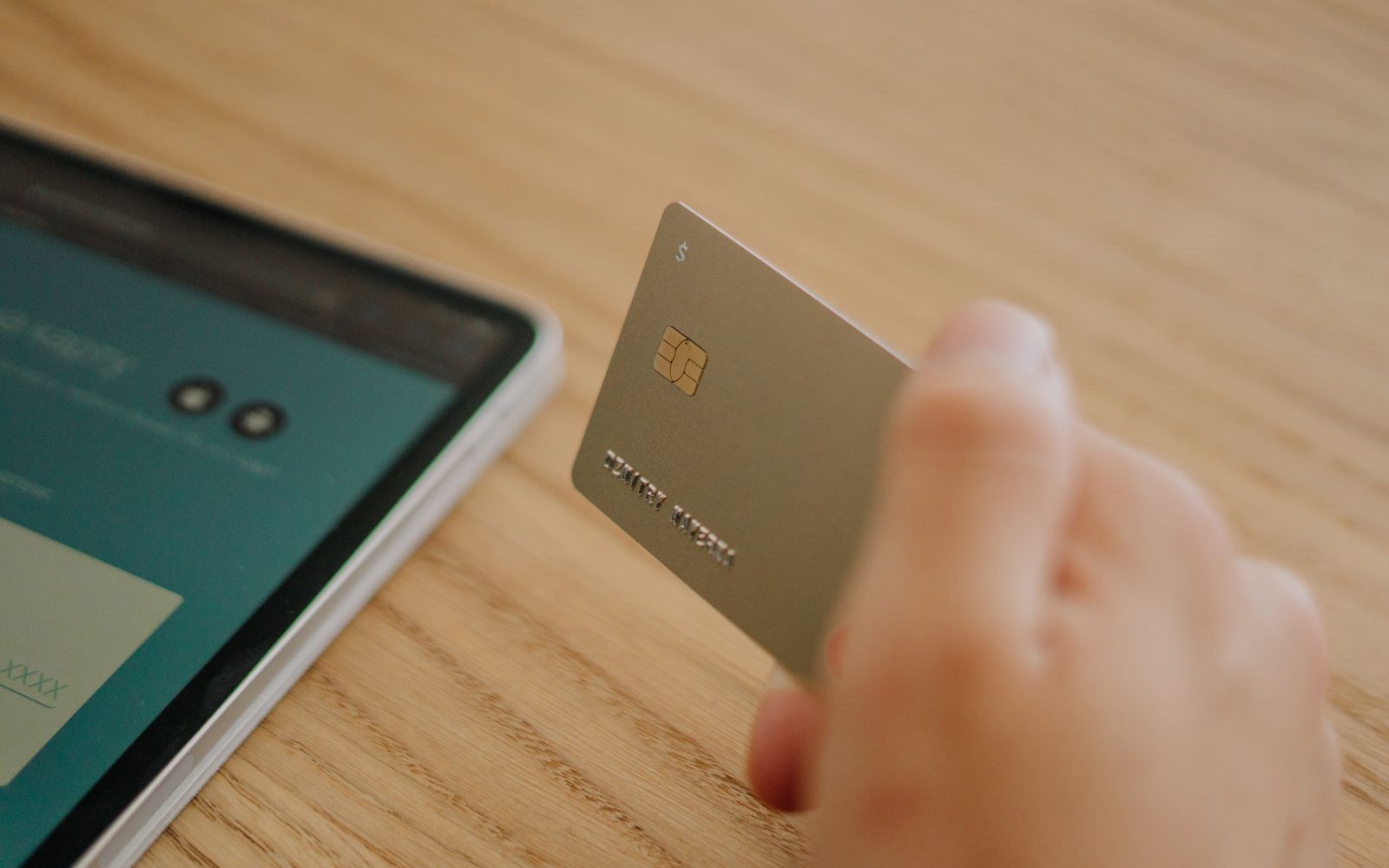
A smart card is a plastic card with a microprocessor or a memory chip inside it, which lets the card do something no plain card can: hold data, protect it, and take part in a conversation with the reader rather than just announcing a number. Bank cards, SIM cards, transit cards and modern building access badges are all smart cards. This page explains what the chip actually does, how the main types differ, and where smart credentials fit in a card program. It sits under our guide to access credentials and encoding, which covers the whole credential landscape.
What makes a card smart
An ordinary ID card carries information that a human reads: a photo, a name, a title. A magnetic stripe card carries a little data a machine can read, but the stripe is passive, and anything that can read it can also copy it.
A smart card carries a silicon chip. At minimum that chip stores data in protected memory. At the top end it is a genuine microprocessor running a small operating system, capable of encryption, of proving it is genuine without revealing its secret, and of refusing to hand over data to a reader that cannot prove it is entitled to it.
That last point is the real difference. A magnetic stripe or a 125 kHz prox card broadcasts. A smart card negotiates. The reader asks, the card challenges the reader, and only if both sides satisfy each other does any data move.
Contact, contactless, and dual interface
Smart cards come in three physical arrangements, and the words describe how the chip gets power and communicates.
A contact smart card has the small gold pad you can see on a bank card. It has to be inserted into a slot so the reader physically touches the pad. Contact cards are governed by ISO/IEC 7816, and they are common in banking, in government identity programs, and in anything where a deliberate insertion is wanted rather than an accidental tap.
A contactless smart card has no visible chip at all. The chip and its antenna are buried in the plastic, and it works at 13.56 MHz, powered by the reader's field the same way a prox card is. The governing standard for most access and payment use is ISO/IEC 14443. Contactless is what nearly every modern building access badge uses.
A dual interface card carries both, so the same card works in a slot and against a tap reader.
Worth knowing for a card program: the visible gold pad on a contact card sits slightly proud of the card surface, and a direct-to-card printer pressing a printhead across that bump can distort the print and wear the head unevenly. That is a genuine reason to specify a retransfer printer for contact smart cards, and it is covered in our direct-to-card versus retransfer guide.
What is actually stored on the chip
Less than people imagine, and that is deliberate.
An access credential typically holds a credential number, a facility or site code, and the cryptographic keys used to prove the card is genuine. It does not hold your name, your photo, your employment record or your medical history, and there is no good reason for it to. The card proves an identifier is authentic. Your access control system holds everything that identifier means.
Higher-capacity smart cards can hold more, and multi-application cards are a real thing: one card carrying building access, a cashless vending purse and a print release credential, in separate protected areas that cannot read each other. That is a genuine capability of the technology. It is also a systems integration project rather than a card purchase, and it needs the applications to agree with each other before the card matters.
13.56 MHz is not the same thing as secure
This is the misunderstanding worth correcting, because it costs organizations money.
Moving from 125 kHz prox to a 13.56 MHz contactless card does not automatically make a system more secure. The frequency is just the radio band. What matters is whether the card and the reader actually run mutual authentication with keys that are unique to your organization, and whether those keys were ever changed from the defaults the cards shipped with.
Plenty of early contactless deployments used cards in a mode where the identifier is readable by anything that asks, which puts them in roughly the same position as prox. The security lives in the key management, not in the chip being present.
So the honest question to ask a vendor is not "is it contactless" but "what authenticates, and who holds the keys." If nobody can answer that, the answer is usually that nothing does.
Smart credentials in access control
In practice, most organizations meet smart cards when they outgrow prox. The trigger is usually one of three things: an audit finding that says cloneable credentials are unacceptable, a security incident, or a reader refresh that makes the upgrade cheap because the readers were being replaced anyway.
The credentials we program are HID's. iCLASS SE and iCLASS SR are 13.56 MHz smart credentials that protect the access data with encryption rather than broadcasting a plain number, and they are the usual step up from legacy prox. SEOS is HID's highest-security credential, with modern encryption and mutual authentication, and it is the foundation for mobile access and for multi-application use.
We program HID credentials only. We do not program generic MIFARE or non-HID contact smart chips, and if your system runs something else we will say so before you order rather than after.
The practical constraint on any of this is the readers. Cards and readers have to speak the same thing, so upgrading credentials without upgrading readers does nothing. Budget the project, not the cards.
Printing and personalizing smart cards
A smart card is still a card, and most of them print like any other. Contactless smart cards are flat, so a direct-to-card printer handles them fine. Contact cards, as above, are better on a retransfer machine because of the chip module bump.
One thing to plan for: if a printer is going to encode as well as print, it needs the matching encoder fitted, and encoders are usually specified when the printer is ordered rather than added later. Deciding you want in-house encoding after the printer arrives is an expensive discovery. Our printer buying guide covers which questions settle this before you commit.
Card stock matters too. Smart cards are more expensive than blank PVC, so a mistake in the print run costs more. It is normal to test a design on plain blank PVC card stock and only move to the technology cards once the layout is right.
Smart card, prox card, or magnetic stripe
A short version, since this is the decision most people actually face.
Use magnetic stripe where the card is swiping into a time clock, a point-of-sale terminal or a hotel lock that expects it, and where cloning is not a meaningful risk. It is cheap and it is everywhere.
Use prox where you already have prox readers, the doors are low risk, and replacing the reader estate is not on the table. It works and it is inexpensive.
Use a smart credential where the consequence of a copied badge is serious, where an auditor or an insurer has told you to, or where you are replacing readers anyway and the incremental cost of doing it properly is small.
If you want to work through it against a real system, the prox card finder narrows it down, and our prox versus smart cards comparison puts the two side by side. If you already know what you run and just need cards encoded to it, that is our prox and access card programming service.