Supplies Guide

Which Ribbon Fits My Printer?

A compatibility chart for every Fargo, Evolis and Magicard printer we supply, with the manufacturer's own yield per ribbon, plus what YMCKO means.

A collection of Pantone color swatches showcasing a wide range of vivid hues for designers.

Ordering the wrong ribbon is the most common ordering mistake in this business, and it is an easy one to make. Ribbons are model-specific, the part numbers look almost identical to each other, and the words printed on the box assume you already know what they mean.

This page is the plain answer. Find your printer, read across, order that. If your printer is not listed or you are not certain which model you have, tell us and we will identify it from the serial number.

Start with the printer, never with the ribbon

A ribbon is built for a specific printer family. It is not a generic consumable that comes in sizes. The cassette, the core, the ribbon width, and the chip the printer reads to identify the ribbon all differ between manufacturers and often between models from the same manufacturer.

So the sequence is always: identify the printer, then order the ribbon that fits it. Working the other way round, starting from a ribbon you found at a good price, is how people end up with a box they cannot use and cannot return.

Your printer model is on a label, usually on the back or underneath, and it is in the printer driver properties on the computer that prints to it. If you have an old ribbon box, the part number on that box is the fastest answer of all.

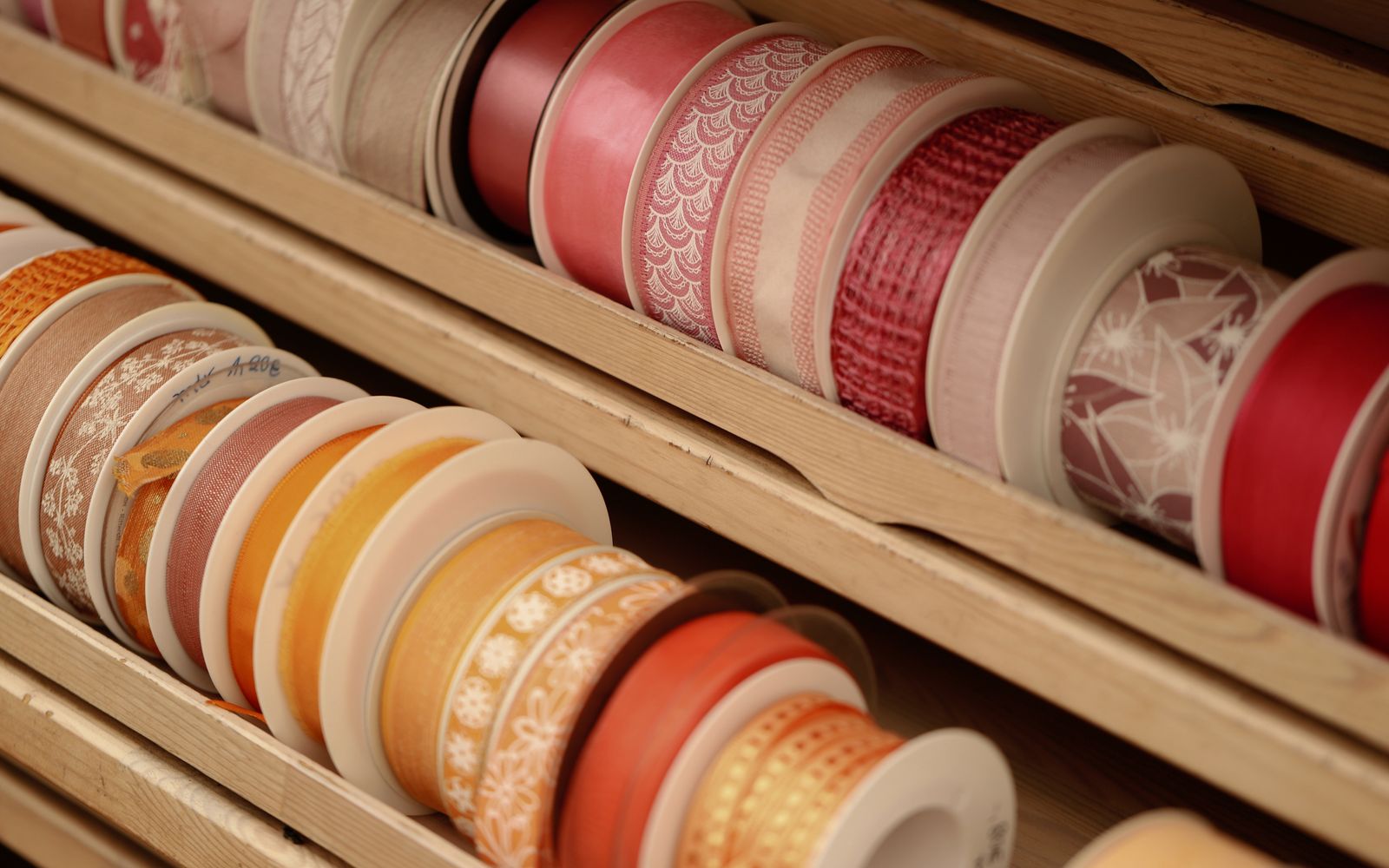
A vibrant collection of decorative ribbons neatly organized in a wooden display.
Not sure which printer or supply you need?
Tell us your use case and we'll point you to the exact gear, since 1984.

What the letters actually mean

Ribbon names look like acronyms because they are. Each letter is one panel of color that the printer lays down in sequence.

Y, M, C are yellow, magenta and cyan. Together they make every color on the card, including skin tones in a photograph.

K is resin black. It is a different chemistry from the black you get by mixing Y, M and C, and it prints sharp solid edges. That is why barcodes and small text are printed with K rather than composite black; a barcode printed in composite black often will not scan.

O is the overlay, a clear protective varnish laid over the finished card. It is not decorative. It is what stops the print rubbing off in a wallet.

So a YMCKO ribbon prints full color, plus a resin black pass, plus a protective coat. That is the standard full-color ribbon and it is what most organizations use.

YMCKOK adds a second resin black panel for printing the back of the card, which is why it is the usual choice for dual-sided printing where the back is text or a barcode only.

K only is a monochrome resin ribbon. No color at all. It prints far more cards per roll and costs less per card, so it suits high-volume text-and-barcode cards where nobody needs a photograph.

You will also see F for a fluorescing panel that shows under UV light, I for an inhibit panel used where a card has a chip or signature strip that must not be printed over, and W for white resin.

How many cards a ribbon actually prints

Every ribbon is rated in prints per roll, and that number is a hard count rather than an estimate. A 300-print YMCKO ribbon has 300 sets of panels on it. When they are used, the ribbon is finished.

Two things follow from that. First, a failed print costs a full print. If a card jams halfway through, that set of panels is gone. Budget a small margin over your card count rather than exactly matching it.

Second, panel count drives yield. A monochrome K ribbon gets 3,000 prints from the same physical roll length that gives a YMCKO ribbon 300, because it is laying down one panel instead of five. If you print a lot of cards that do not need color, monochrome is dramatically cheaper per card.

Dual-sided printing consumes differently depending on the ribbon. A YMCKOK ribbon prints one full card, both sides, per set. Printing both sides in full color from a YMCKO ribbon consumes two sets per card, so a 300-print ribbon gives you 150 dual-sided cards.

The compatibility table

This is the full-color ribbon for each printer we supply, with the yield the manufacturer publishes. Monochrome and specialty ribbons exist for most of these models as well; ask us if you need one.

PrinterFull-color ribbonTypeYield
HID Fargo DTC150045610YMCKO500 prints
HID Fargo DTC4000, DTC4250e45140YMCKO300 prints
HID Fargo DTC4500e45230YMCKO700 prints
HID Fargo HDP5000, 5000e, 560084511YMCK500 prints
HID Fargo HDP660084911YMCK750 prints
Evolis AgiliaRT4F101A100YMCK600 prints
Evolis Primacy 2R5F208A100YMCKO300 prints
Evolis Zenius 2R5F202A100YMCKO200 prints
Evolis Primacy (first generation)R5F008AAAYMCKO300 prints
Magicard 300MC300YMCKOYMCKO300 prints
Magicard 600MB300YMCKOYMCKO300 prints
Magicard Pronto100MD100YMCKOYMCKO100 prints
Magicard Enduro, Rio ProMA300YMCKOYMCKO300 prints

Every one of those figures comes from the manufacturer's own consumables documentation rather than from a reseller listing. You can see the same detail, plus what each ribbon fits and does not fit, on the individual pages in our ribbon and supply range.

The HDP5000 firmware trap

This one catches people, so it is worth its own section.

The current HDP ribbons and films, including 084511 and the 084500 clear film, work with the HDP5000e, the HDP5600, and the HDP5000 in both the 2008 and 2013 models. But on an HDP5000 they only work if that printer is running firmware 5.4.5 or above. On firmware 5.3.8 or below they are not compatible, and HID says so explicitly.

If you have an older HDP5000 that has not been updated and you order current ribbons, they will not work, and the symptom looks like a faulty ribbon rather than a firmware problem. Check the firmware version before ordering. If you are not sure how, ask us and we will walk you through it.

Transfer film is not a ribbon

Retransfer printers, which is the HDP and Agilia families, use two consumables rather than one. The ribbon carries the color, and a separate clear film is what actually gets fused onto the card.

They are consumed at different rates, which is the part people miss. On the HDP6600 the color ribbon gives 750 prints and the clear film gives roughly 1,500, so you get through two ribbons for every roll of film. The Evolis Agilia works the same way: 600 prints from the ribbon against 1,200 from its retransfer film, again two to one. Order in that ratio rather than one for one, or you will end up with a shelf full of film and no ribbon.

The film you need is set by the printer in exactly the same way the ribbon is, and there are only three of them across everything we supply.

PrinterTransfer filmTypeYield
HID Fargo HDP5000, 5000e, 560084500Clear HDP film1,500 images
HID Fargo HDP660084900Clear HDP film1,500 images
Evolis AgiliaRTCL100NAAAClear retransfer film1,200 prints

The 84500 carries the same firmware 5.4.5 requirement on an HDP5000 that the 84511 ribbon does, so if you are ordering for one of those, order both together and check the firmware first.

Direct-to-card printers do not use film at all. If you have a DTC or a Primacy, the ribbon is the only consumable in the print path.

Half-panel ribbons, and when they save real money

A half-panel YMCKO uses shortened color panels and a full-length K and O. It is designed for cards where the only color is a photograph in one corner and everything else is black text.

The saving is substantial. On the Fargo DTC families a half-panel ribbon typically yields around 40 percent more cards than the full YMCKO from the same roll. If your card design genuinely fits the format, that is a straight reduction in cost per card.

The catch is that the color area is fixed. If your design has color anywhere outside that band, a half-panel ribbon will not print it. Check your template against the panel layout before switching, and if you are unsure, send us the design and we will tell you whether it fits.

Genuine ribbons and your printhead warranty

We sell genuine manufacturer consumables, and there is a practical reason beyond the obvious one.

Printhead warranties are conditional on using the manufacturer's own consumables and on cleaning at the specified interval. HID states plainly that its warranties are void where non-HID consumables are used. Evolis ties the printhead warranty to routine cleaning and treats it as invalid after 1,200 cards without a clean.

A printhead is one of the most expensive parts of the printer. Saving a modest amount on a third-party ribbon and then discovering the warranty will not cover the printhead is a bad trade, and we have watched customers make it.

The other issue is quality. Off-brand ribbons vary between batches, and the failure mode is usually a gradual drop in print quality that gets blamed on the printer for months before anyone suspects the ribbon.

Storage, and why old ribbons print badly

Ribbons have a shelf life. Evolis specifies up to two years unopened when stored between 10 and 30 degrees Celsius at 30 to 80 percent humidity, and much less once opened.

In practice the enemies are heat, damp and dust. A ribbon stored in a hot store room or a damp basement will not print as well as one kept in an office. Keep them sealed until you need them, keep them out of direct sunlight, and do not buy three years of stock to get a bulk discount unless you can store it properly.

If a new ribbon prints badly straight out of the box, storage is one of the first things to consider, alongside a printer that needs cleaning.

Working out what to order

The arithmetic is simple once you have the yield.

Take the number of cards you expect to print in the period you are ordering for. Add a margin for failed prints and reprints; ten percent is a reasonable working figure. Divide by the yield of the ribbon that fits your printer. Round up.

So a school issuing 4,000 cards on a DTC4500e with a 700-print YMCKO needs 4,400 divided by 700, which is seven ribbons. Order seven, keep an eighth on the shelf, and do not discover the shortfall on the second morning of issuance week.

Remember that dual-sided color on a single-sided-color ribbon halves your yield, and that cleaning consumables are consumed on the same schedule. Most manufacturers want the printer cleaned with each ribbon change, so a ribbon order and a cleaning kit order should arrive together.

If you are still not sure

Tell us your printer model, or the part number from an old ribbon box, or the serial number off the machine. Any one of those is enough for us to identify exactly what you need.

We have been supplying these consumables since 1984 and we would far rather spend two minutes confirming a part number than have you sitting on a box you cannot use. Browse the full ribbon and supply range, look at the printers we support, or read the printer buying guide if you are choosing a machine rather than a ribbon for one you already own.

Working out your real cost per card

Ribbon price on its own tells you very little. The number that matters is cost per card, and it is easy to calculate once you know the yield.

Divide the ribbon price by its yield. A 300-print ribbon at $120 is 40 cents a card. A 700-print ribbon at $210 is 30 cents a card, so the more expensive ribbon is the cheaper one to run. This is why comparing ribbons on sticker price alone leads people to the wrong answer.

Then add the card itself, and the share of a cleaning kit consumed over that ribbon's life. That gives you a true cost per finished card, which is the figure to use when budgeting a program or comparing printers.

It is also the figure to use when deciding between color and monochrome. If half your cards are staff badges that need a photo and half are visitor passes that need a name and a barcode, running the visitor passes on a monochrome ribbon can cut their cost per card by a large multiple. Two ribbons on the shelf is a small inconvenience against that saving.

Specialty ribbons you may not know exist

Beyond the standard full-color and monochrome options, most printer families offer ribbons for specific problems.

Fluorescing ribbons add a panel that is invisible in normal light and shows under UV. On the HDP6600 that is the YMCFK ribbon. It is a genuine security feature and a cheap one, because verifying a card needs nothing more than a UV torch at the door.

Inhibit panels, the I in a ribbon name, tell the printer not to lay ink over a defined area. They exist for cards with a signature panel, a contact chip, or a magnetic stripe that must stay clear. Evolis offers YMCKI and YMCKKI ribbons on the Agilia for exactly this.

White resin prints white onto colored or transparent card stock, which normal ribbons cannot do because white is the absence of ink on a white card.

Metallic and colored monochrome ribbons print gold, silver, blue, red and other single colors. They are common on membership and loyalty cards where the design is one color on a colored card.

If your card design has a requirement that the standard ribbon cannot meet, ask before you redesign. There is often a ribbon that solves it.

What ribbon problems usually mean

A handful of symptoms come up again and again, and most of them are not the ribbon's fault.

Faded or washed-out color is usually a dirty printhead rather than a bad ribbon. Clean the printer and print a test card before concluding anything else.

A line down every card in the same place is nearly always debris on the printhead or a damaged printhead element. A cleaning card is the first move.

The printer reports the wrong ribbon or refuses to recognize it points at either a genuinely incompatible ribbon or, on an HDP5000, the firmware issue described above.

Color that looks right on screen and wrong on the card is a color profile question, not a supplies question. Most drivers ship with adjustment settings, and our team can talk you through them.

The ribbon tears or wrinkles suggests a tension or roller problem in the printer rather than the consumable. If it happens with a fresh ribbon, the machine needs looking at. Our printer troubleshooting guide covers more of these, and if you would rather hand it over, we repair printers on our own bench through our authorized service center.

Buying for more than one printer

Organizations that have grown into several printers often end up with several ribbon types, and that is worth reviewing rather than accepting.

If you run three different printer models across three sites, you are carrying three sets of consumables, three reorder cycles, and three chances to run out of the wrong thing. When it comes time to replace machines, standardizing on one model across sites collapses that into a single line item and usually improves your pricing at the same time.

Where standardizing is not realistic, at least standardize the reorder. Knowing your annual card volume per site and the yield of each ribbon lets you put the whole estate on one schedule instead of reacting when a site calls to say they are out.

Keep reading

    Questions about your setup?

    Our team has spec'd card systems since 1984. Tell us what you're printing.