Explainer · 2026
How Do Magnetic Stripe Cards Work?
How a stripe stores data, the three tracks, HiCo versus LoCo, and why a stripe that worked last week stops working.
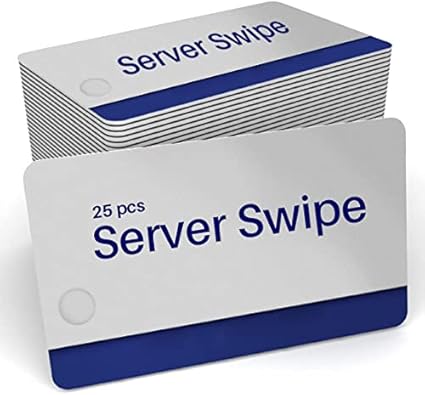
Magnetic stripe cards are one of the oldest card technologies still in daily use, and one of the least understood. The stripe holds a few short lines of data, a reader picks them up as the card is swiped, and the system behind the reader decides what that data means. This post explains how the stripe stores data, the HiCo and LoCo question that causes most ordering mistakes, and why stripes stop working. For how magnetic stripe sits alongside prox, NFC and smart cards, see our guide to access credentials and encoding.
What the stripe actually is
The stripe is a band of tiny magnetic particles bonded to the back of the card. Each particle can be magnetized in one of two directions. An encoder writes data by flipping the particles along the stripe in a pattern, and a reader recovers the pattern as the stripe passes its read head.
Nothing in the stripe is powered or active. It is closer to a strip of recording tape than to a chip, which is why stripe cards are cheap and why the data on them can be wiped.
Three tracks, decided by the system
A standard stripe has three parallel tracks.
- Track 1 holds letters and numbers, typically a name and an account number.
- Track 2 holds numbers only and is the one most systems read.
- Track 3 is rarely used.
The tracks hold very little. Under the standard layout, track 1 holds up to 79 characters, track 2 up to 40 digits, and track 3 up to 107 digits. That is enough for an account number and a name, which is all most stripe systems need, and it is why a stripe cannot carry a photo or anything large.
Which tracks a card uses, and what the data means, is decided by the system that reads it: the POS, the hotel lock, the time clock or the library. The card is a carrier. Two cards with identical stripes can be useless in each other's systems because the data is laid out differently.
HiCo and LoCo, explained
Stripes come in two strengths, called coercivity and measured in oersteds (Oe). Coercivity is how strong a magnetic field it takes to change the stripe.
- HiCo, high coercivity, is usually 2750 Oe. It takes a strong field to write and an equally strong one to wipe, so it holds its data through daily handling. POS employee cards, gift and loyalty cards and access cards are almost always HiCo.
- LoCo, low coercivity, is around 300 Oe. It is easy to write and easy to rewrite, which is why hotel room keys are almost always LoCo. The trade-off is that it is also easy to wipe.
The card has to match the encoder that writes it. Most HiCo encoders can write LoCo cards as well, but a LoCo encoder will not reliably write a HiCo card. HiCo stripes are usually black and LoCo stripes often brown, but treat color as a hint, not proof. Our HiCo and LoCo glossary entry has the one-line version.
Reading and encoding
A reader only needs to pass the stripe across a read head, which is why swipe readers are so cheap and so common. An encoder writes as well as reads. Card printers can carry a magnetic encoding module that writes the stripe in the same pass as the card is printed, which suits programs that print and encode cards one at a time.
For larger programs, cards can be printed and encoded in a batch from a list of numbers or data. Either way, the format comes from the system that reads the card, so the first step is always to get that format from the system's supplier.
Why stripes stop working
- Wiped by a magnet. Magnetic phone cases, bag clasps and some speakers can wipe a LoCo stripe. HiCo resists this much better.
- Worn. Heavy daily swiping wears the stripe and the reader head together. Cleaning the reader helps more often than people expect.
- Scratched or bent. A deep scratch across the tracks or a warped card will not read reliably.
- Wrong format. A card written for one system will not work in another, even though both swipe the same way.
A wiped card can usually be encoded again. A scratched or worn stripe needs a new card.
Stripe width and position
On a standard card the stripe runs along the back, near the top edge when the card is held face up. Most stripes are wide enough for all three tracks. Narrower two-track stripes exist for systems that only use tracks 1 and 2, but a three-track stripe works in a two-track reader, so it is the safe default.
The stripe's position matters for design as much as for reading. Anything printed under or across the stripe area on the back can be hard to see, so keep text, signatures and barcodes clear of it.
How secure is a stripe?
Not very, and it was never meant to be. The data on a stripe is not encrypted, so anyone with a reader and an encoder can copy it. That is acceptable for a server's POS login, a hotel key that expires at checkout or a loyalty card, where a copied card does little harm. It is not acceptable for doors that matter, which is why access control has moved to prox and smart cards, and why payment cards moved to chips.
If a card needs to be harder to copy, the stripe can stay for the systems that swipe, with a chip added for the ones that need security.
Where stripe cards still make sense
Stripes are no longer the most secure option, and for building access most programs have moved to prox or smart cards. But a stripe remains the cheapest and simplest answer wherever a system already swipes: restaurant POS logins, hotel room keys, gift and loyalty cards, time clocks and libraries.
Our magnetic stripe cards page covers what we stock, including MICROS server and manager cards, and how custom-printed runs work. Runs start at 500 cards, and if you have the encoding, we can print the card: send the data and we encode the stripes.