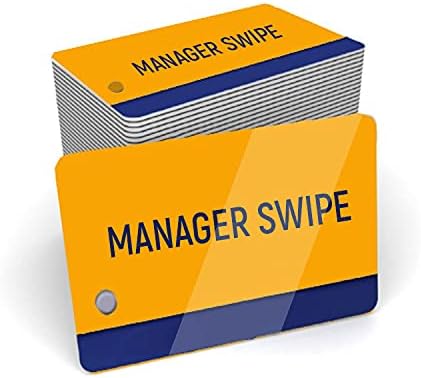
25 Pack of Orange Micros Manager Cards - for Micros Oracle POS System
About this item
- Micros POS swipe card
- CR-80 PVC card, 30 mil (0.76 mm) thick
- Ships as a pack of 25 cards
- Magnetic stripe: High-coercivity (HiCo), 2750 Oe, three-track
- Micros and Oracle point of sale systems only. These do not work with other POS systems.
See how it stacks up against the rest of our full cards and credentials lineup.
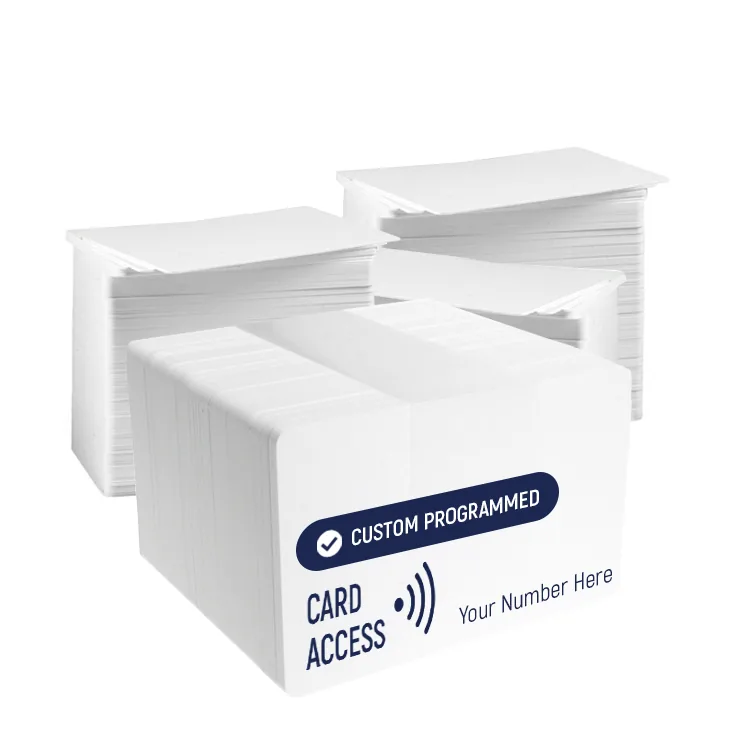
We can program them to your facility code and card range through access credential programming.
Product description
About the 25 Pack of Orange Micros Manager Cards - for Micros Oracle
Specifications
Technical specifications
| Type | Micros POS swipe card |
| Card size | CR-80 (3.375 x 2.125 in / 85.6 x 54 mm) |
| Thickness | 30 mil (0.76 mm) |
| Material | PVC |
| Magnetic stripe | High-coercivity (HiCo), 2750 Oe, three-track |
| Printing | Yes, direct-to-card printable |
| Works with | Micros and Oracle point of sale systems only. These do not work with other POS systems. |
| Pack size | 25 cards |
Ordering and returns
Price in USD. There is no checkout on this site. The Buy it Now button hands off to Amazon, and the price at Amazon checkout is the one that applies. Call us and we will confirm current pricing and take the order directly.
Stock items may be returned within 30 days of delivery. The customer is responsible for return shipping unless the error was ours. Orders completed at Amazon are governed by Amazon's returns policy, which applies to most orders placed from this page. Custom-programmed products are excluded. Full terms are on our terms page.